Install
Installation in Krita
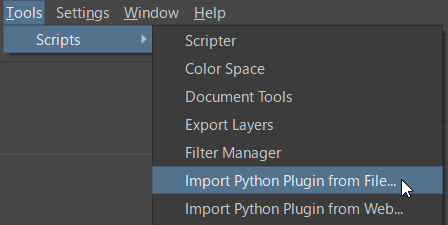
To install the plugin for Krita, select "Tools -> Scripts -> Import Python Plugin from File" from the Krita main window, then choose the downloaded zip archive (cmplugin_krita.zip).
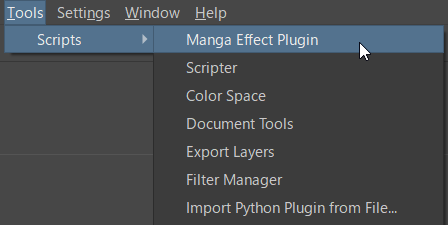
Restart Krita. If "Tools -> Scripts -> Manga Effect Plugin" appears in the menu, installation is complete. Clicking this menu item will open the settings window.
On macOS, security features may block plugin loading. In this case, enter the following command in "Terminal (Terminal Emulator)" to disable library verification.
sudo codesign --force --deep --sign - /Applications/Krita.app
However, please be aware that changing the app signature using this method carries the risk of unconditionally accepting other plugin programs.
Installation in Clip Studio Paint EX
To install the plugin for Clip Studio Paint EX, copy the "mangaeffect.cpm" file included in the downloaded archive to the following directory:
| Windows | C:\Users\(User Name)\AppData\Roaming\CELSYSUserData\CELSYS\CLIPStudioModule\PlugIn\PAINT |
| macOS | ~Library/CELSYS/CLIPStudioModule/PlugIn/PAINT |
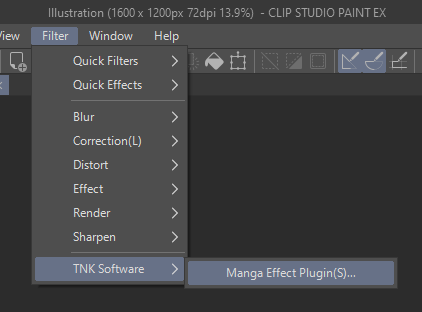
Once the program file is recognized correctly, "TNK Software > Manga Effect Plugin" will be added to the "Filter" menu.